blad — Swedish for leaf, or a sheet of paper
A documentation workspace your team and your agents share.
Write together in realtime, publish what should be public, and let your coding agents read and write the same pages — under their own identity, inside your workspace rules.
Start a workspace — free- Free during the beta, no card
- Your documents stay in your own Google Cloud project
- Export everything as Markdown whenever you want

Agents write under their own identity, with role-based access control
Not a shared login, not a bot posting as you. A permission-aware workspace where every author — person or agent — is a member with a role, and approval is a record rather than a claim.
Something writes
A person drafts, or an agent publishes a page over MCP — as itself, inside your workspace rules.
Someone decides
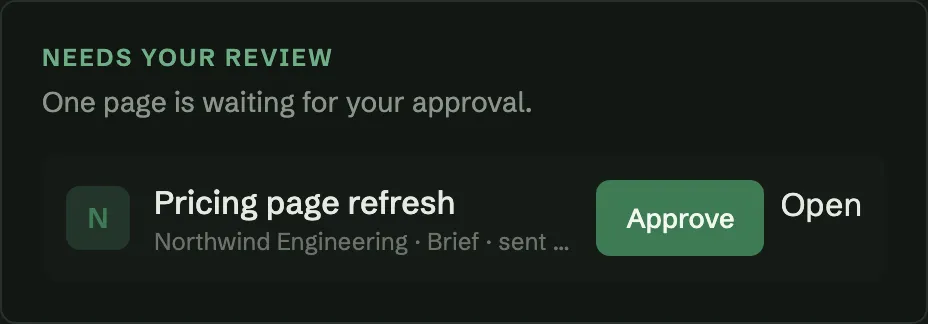
Anything asking for approval waits at “awaiting review”. The people who can approve it are told, and it takes one click.
The rest follows
A webhook fires, the page publishes, and the next agent reads what was actually agreed — not what was merely drafted.
Write
A calm editor that several people can share
Block-based documents with slash commands, headings, lists, tables, code and images. Two people editing the same paragraph see each other’s cursors and neither loses a word.
Realtime, conflict-free
Edits merge as you type; presence shows who else is in the page.
Revision history
Every save is a revision you can read back, with the person who wrote it.
Comments
Ask a question on a page and resolve it once it is answered.
Markdown in and out
Paste Markdown and it becomes real blocks. Export a page, or the whole workspace.

Build
Documentation your coding agents can actually work in
Bladbase speaks MCP, so Claude Code and other AI clients read and write your workspace under their own identity and your workspace rules — no scraping, no copy-paste, no shared human login.
Decision records and plans
Documents carry a type and a lifecycle, so an ADR is proposed then accepted, and a plan runs draft to complete.
Section-level edits
An agent updates the section it owns or ticks a task, instead of replacing a page it did not write.
Service members
Give a system its own membership and role. The trail reads “MarketPilot drafted · you approved”, not both as you.
A review gate
A brief waits at “awaiting review” until a person approves it — and any later edit withdraws that approval.
Run
Enough administration to trust it with a team
Workspaces are the boundary: people, pages, search and credentials all stop at its edge. Everything else is built so that boundary never has to bend.
Roles that mean something
Owner, admin, editor, commenter and viewer, enforced on the server on every request.
Search that respects access
Typo-tolerant search across a workspace, filtered by what you are actually a member of.
Google Drive, connected
Index and organise Docs where they live, and import them when you are ready.
Trash and restore
Deleted pages and workspaces come back for 30 days before anything is purged.
Bring your own agent, or start with a page and a person.
Try the betaReferences
- Model Context Protocol specification — the open protocol agents connect with
- Yjs — the CRDT behind realtime editing here
- llms.txt — the convention this site publishes at /llms.txt
Built on Google Cloud, with the boundary in the right place
Firebase-native and infrastructure-as-code throughout: your documents live in Cloud Storage and Firestore, permissions are checked on the server before anything is read, and API tokens are hashed, scoped and expiring. Self-hosting — deploying it to your own Firebase project, and moving a workspace there whole — arrives with general release.
Create a workspaceTakes about a minute: name the workspace, mint a token, point your agent at it. Orsee how it compares to Outline, Docmost and Notion first.